Keep support organized
Every question becomes a numbered ticket with an owner and a deadline. Write help articles once, and use them for your own replies and for the assistant.
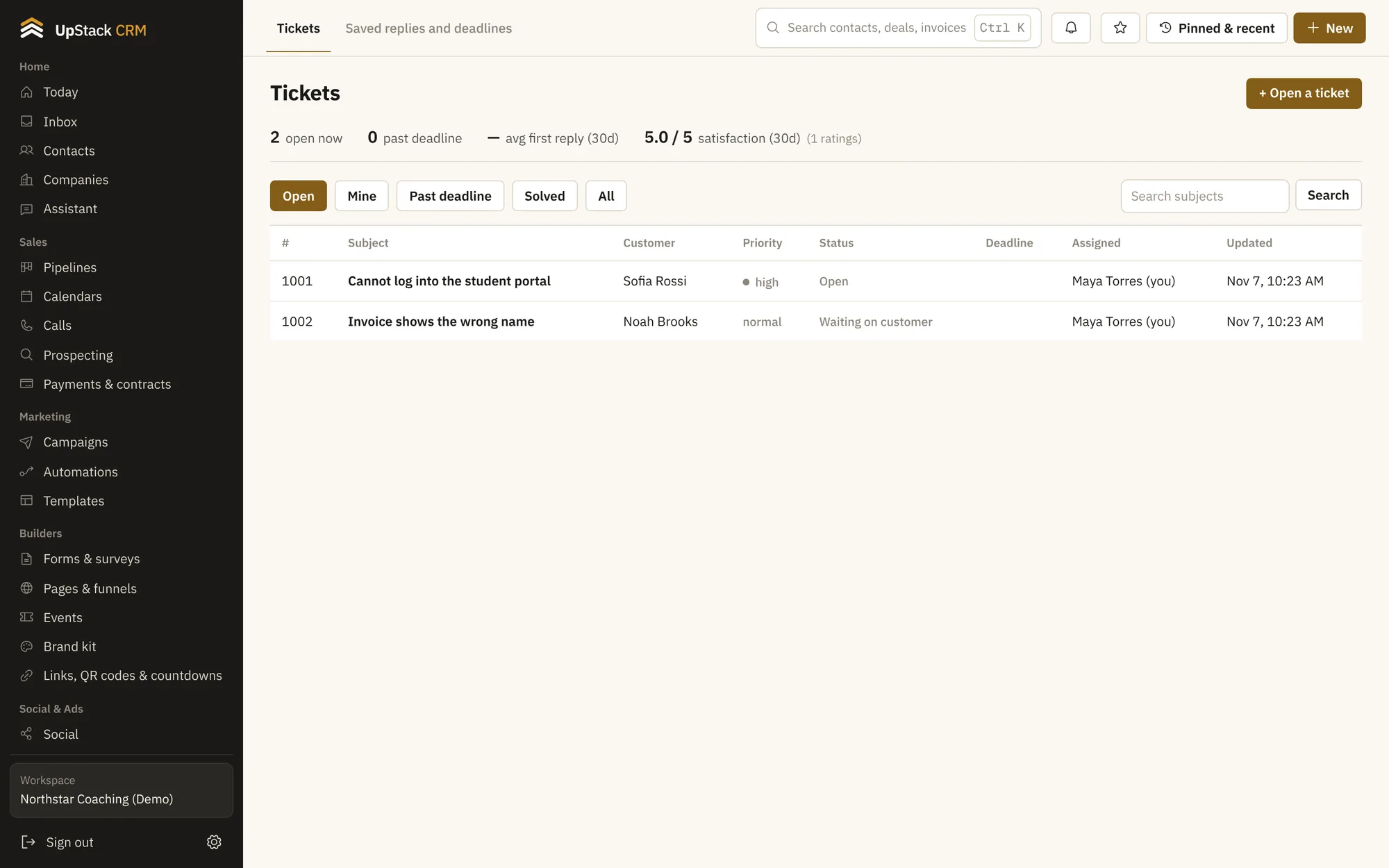
Replaces help desk tool, separate faq site.
What you can do
Numbered tickets
Each ticket has a status, a priority and a person responsible.
Reply deadlines
Set a first-reply time and a solve time, and get flagged when you slip.
Saved replies
Answer common questions in two clicks.
Customer ratings
Ask for a rating when a ticket is solved.
A knowledge base
Write articles and let the assistant answer from them.
Public ticket page
Customers can follow their ticket without logging in.
Setting it up
Write the article
Turn repeat questions into help pages.
Assign and answer
Work from the ticket list.
Collect questions
From email, forms or the portal.
Questions
Works with shared inbox, ai assistant and courses and student portal.
Can customers open tickets?
Yes, through a support form or by email.
Does it track response times?
Yes. You see first reply time and time to solve.