All features
Know every person you talk to
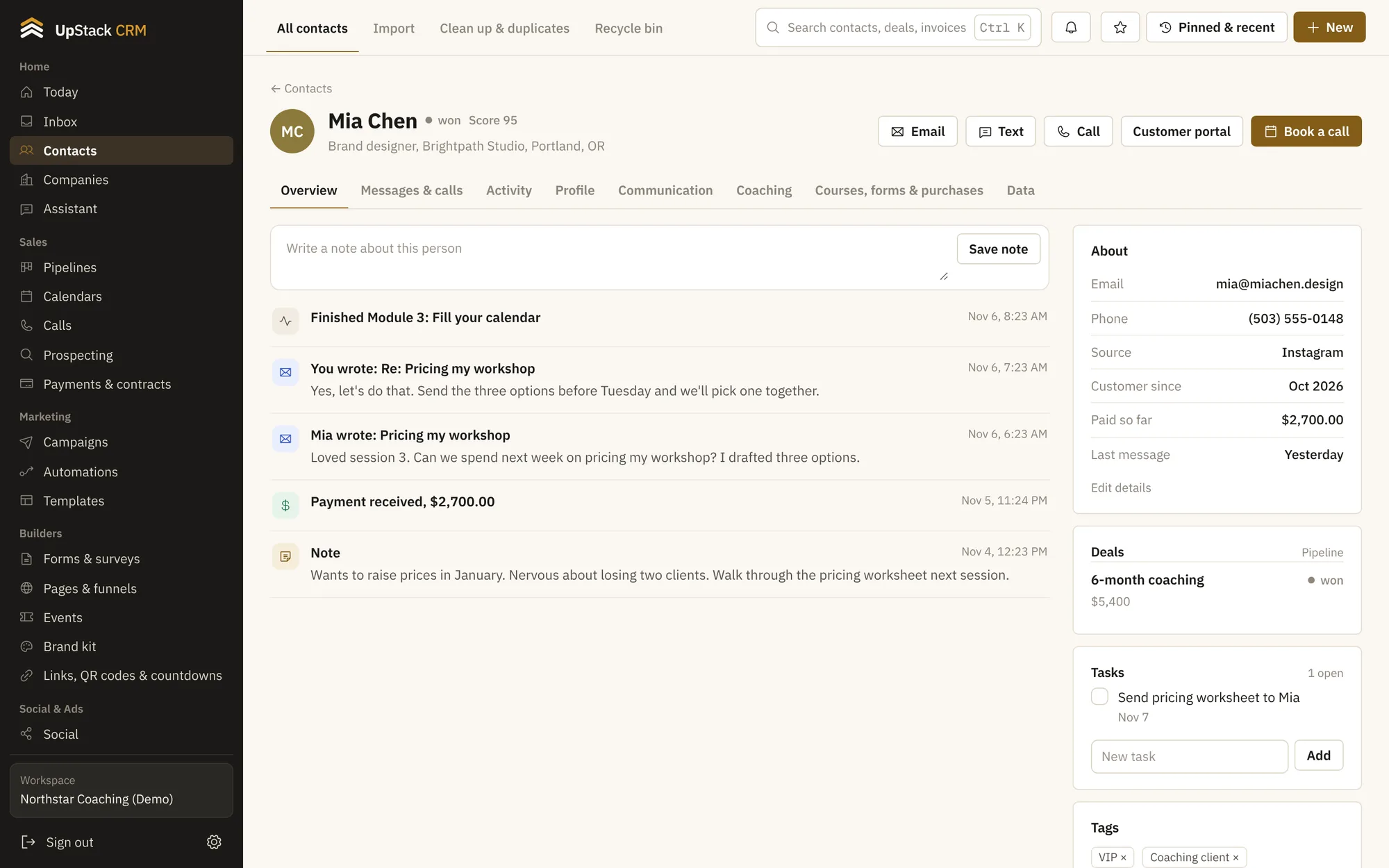
Each contact has one page with their messages, notes, tasks, payments, course progress and bookings. You stop hunting through five tools to remember what happened last week.
Replaces spreadsheet of leads, separate address book, notes app.
What you can do
- A full timeline
- Emails, texts, form fills, payments, bookings and notes sit in one feed, newest first.
- Tags and smart lists
- Tag people by hand or by rule. Smart lists keep themselves up to date, so your audience is always current.
- Lead scores
- Give points for opens, clicks, bookings and purchases. Sort by score and call the warm ones first.
- Your own fields
- Add the fields your business needs, like program, start date or goal, and use them in emails and filters.
- Import and clean up
- Bring contacts in from a spreadsheet, find duplicates, merge them, and restore anything deleted from the recycle bin.
- Companies and custom records
- Group people under companies, or create your own record types for things like clients, properties or cohorts.
Setting it up
Import or add people
Upload a spreadsheet or let forms and booking pages add them for you.
Tag and score
Set a few rules once and contacts sort themselves.
Work from the list
Filter to the people who need you today and open their page.
Questions
Works with sales pipelines, shared inbox and automations.
Can I import my current list?
Yes. Upload a CSV, match the columns, and the import skips duplicates.
Is there a limit on contacts?
Each plan has a contact limit. Starter has 2,500, Growth has 25,000 and Scale has 100,000.