Follow up without remembering to
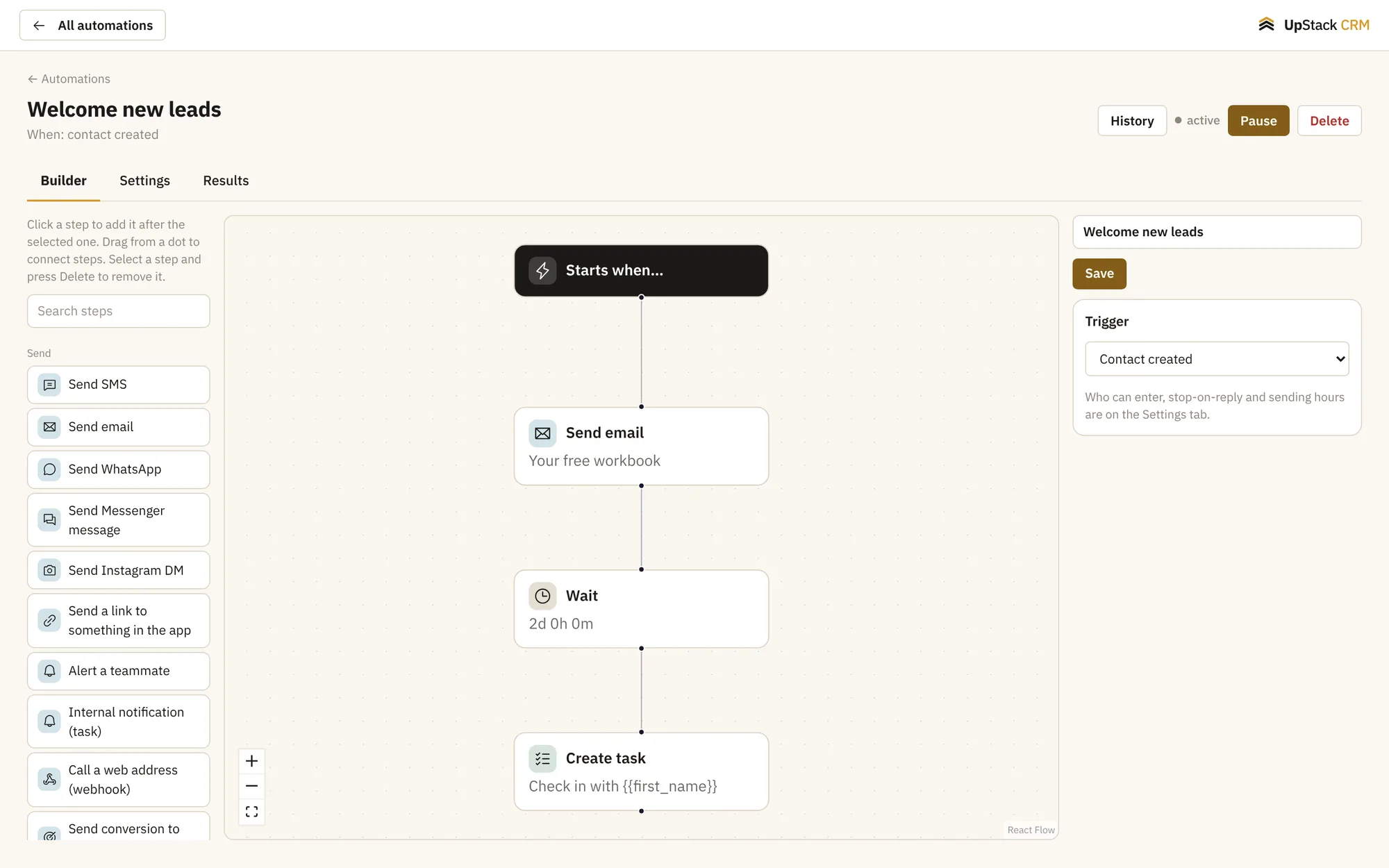
Pick what starts it, like a new lead, a tag or a payment. Then add steps: send a message, wait two days, check a condition, make a task. Every run is logged so you can see what happened.
Replaces zapier-style connectors for basic follow-ups, manual reminders.
What you can do
Start from real events
New contact, tag added, form submitted, booking made, payment received or a date.
Steps that do the work
Send email or text, wait, add a tag, change a field, create a task or move a deal.
If this, then that
Split the path based on tags, fields or answers.
A visual builder
See the whole flow on one screen and change it by dragging.
Run history
Open any contact and see which automations ran and what each step did.
Pause any time
Turn a flow off without losing it.
Setting it up
Turn it on
New people enter automatically.
Add the steps
Messages, waits and checks in the order you want.
Choose the trigger
Decide what starts the flow.
Questions
Works with email and text campaigns, contacts and crm and sales pipelines.
Can I see what an automation did?
Yes. Every run keeps a log of each step and what happened.
Can an automation create a task for me?
Yes. It can create a task with a due date and assign it.